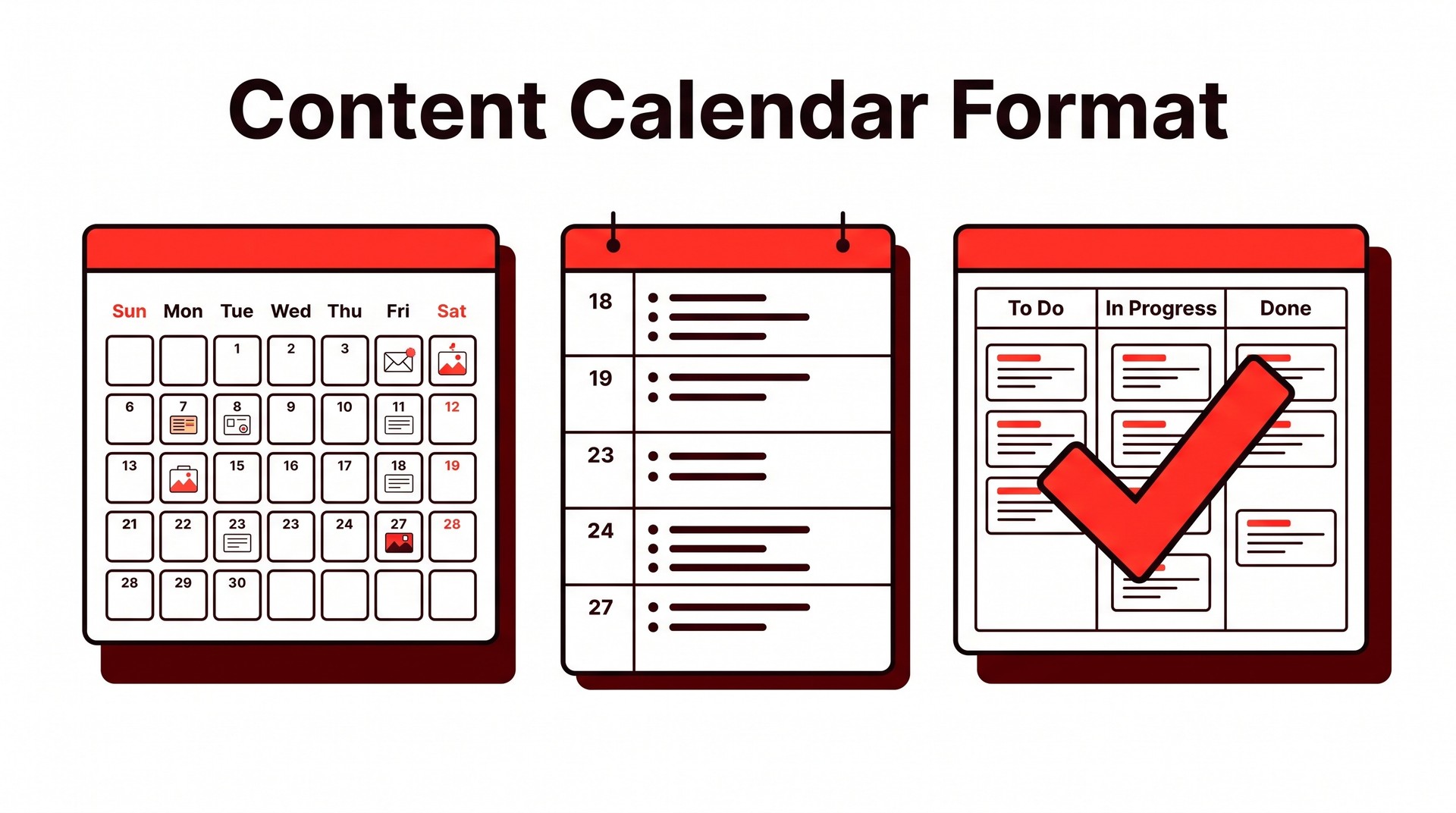
Content Calendar Format: Which Structure Actually Works (and a Filled-In Example)
Pick the right content calendar format in minutes. Covers every field you need, Google Sheets vs. Notion vs. Excel, plus a filled-in example you can copy today.
A content calendar format is the structural skeleton — the set of columns, fields, or rows — that tells your team what to publish, when, on which channel, and who owns each piece. The essential fields are the same regardless of whether you build it in a spreadsheet, a Notion doc, or a dedicated tool: publish date, content title or working headline, channel or platform, assigned owner, status, and a link to the draft or brief. Every other field is optional. If you have those six, you have a functioning calendar.
Which format suits which situation is less complicated than most planning guides suggest. A shared spreadsheet covers most teams with fewer than four people publishing across one or two channels. Match the format to the coordination cost — not the other way around, and not to whatever tool your last job used. A dedicated tool like Airtable or Notion earns its overhead once you're coordinating multiple contributors, tracking content at different stages simultaneously, or pulling in data from other workflows that already live in that ecosystem. Plain documents work for solo writers.
What fields every content calendar format must include
Six fields make or break any content calendar format: publish date, title or topic, content type, channel, owner, and status. Everything else is useful but survivable without.
Field | Required | Notes |
|---|---|---|
Publish date | ✅ Yes | The anchor for every other decision |
Title / topic | ✅ Yes | Even a working title beats a blank |
Content type | ✅ Yes | Blog post, video, newsletter, etc. |
Channel / platform | ✅ Yes | Where it publishes, not where it's drafted |
Owner | ✅ Yes | One name, not a team name |
Status | ✅ Yes | The most abused column in any calendar |
Target keyword | High value | Essential for SEO-driven content |
CTA | High value | Especially useful for bottom-funnel pieces |
Funnel stage | High value | Helps spot top-heavy or BOFU gaps |
Word count goal | Optional | Matters more at scale |
Status deserves more attention than it usually gets. Teams collapse four distinct states into two — something is either "done" or it isn't — and three weeks can vanish that way, a piece stuck in review with no one accountable for moving it forward because the calendar shows only a binary that tells nobody what action to take next. Draft, In Review, Scheduled, and Live each describe a different operational reality. Each requires a different next action from a different person.
A solo blogger running a simple SEO operation probably needs only the six core fields above; a three-person team adding a dedicated editor immediately needs In Review as a status value and an Owner field that can hold two names across the production cycle. The field set should reflect how work actually moves, not how you imagine it will.
What is the best format for a content calendar: spreadsheet, doc, or dedicated tool?
For most teams, a Google Sheet beats everything else — and the honest reason is portability, not features. A spreadsheet opens without an account, exports in two clicks, and anyone who has touched Excel in the last decade can edit it without a tutorial. That said, the right answer shifts depending on who's using it and how many moving parts they're managing.
Spreadsheets are free, shareable, and fast to build. The fragility shows up later: once you're tracking eight content types across three channels with conditional formatting for status, the file becomes a maintenance project of its own. One broken formula and the whole publication schedule looks wrong.
✅ Best for: solo operators, small blogs, early-stage teams that don't need to attach briefs to calendar entries. ❌ Breaks down when: multiple editors are editing simultaneously, or the calendar needs to link to assets, briefs, and approval chains.
Page-based tools like Notion or Coda solve the linking problem — a calendar entry can embed the full brief, the draft, and the review thread in one place, which is difficult to replicate in a flat spreadsheet without the whole thing becoming unreadable. The setup cost is real, though. Poorly structured databases are worse than a plain spreadsheet.
Purpose-built scheduling tools make sense when social publishing or multi-channel automation is the primary need. Distributing across LinkedIn, Instagram, and a newsletter on the same day is where these tools justify themselves. A direct-push integration saves more time than any spreadsheet macro, and teams thinking about that layer might also want to look at tools that handle broader SEO and publishing automation alongside scheduling.
The contrarian point worth stating plainly: most people agonize over the tool when the underlying problem is that their fields are wrong. A SaaS founder running a solo blog with a half-broken Notion setup will outperform an agency that built a beautiful Airtable dashboard but never nailed down what "ready to publish" even means — because the field was left undefined, not because the tool was inadequate. An agency juggling eight client calendars does need a structured tool. But structure in the fields comes first, format second.

How to make a content calendar in Google Sheets or Excel
A working spreadsheet calendar takes about twenty minutes to build and outperforms most downloaded templates because you can shape it around what your team tracks. Three tabs is the right skeleton: a Master Calendar (every piece of content, every channel, every status), a Backlog (ideas that aren't scheduled yet), and either a per-month or per-channel view filtered from the master.
🛠️ For the Master Calendar columns, this order works well:
Publish Date — the anchor everything else sorts by
Title / Working Title — editable until the piece goes live
Content Type — set as a dropdown (Blog Post, Newsletter, Video, Social) via Data → Data Validation → List of items
Status — another dropdown: Idea, In Progress, In Review, Scheduled, Published
Owner — one name, not a committee
Target Keyword — the field free templates almost always omit
CTA / Funnel Stage — skipped constantly, missed later
Once those columns exist, add one conditional formatting rule: highlight any row where Publish Date is less than TODAY() and Status is not "Published." In Sheets, that's a custom formula applied to the whole row — =AND($A2<TODAY(),$D2<>"Published") — formatted in red. Overdue items become impossible to ignore.
⚠️ The trap here is refinement. Adding a word-count column, a brand-voice score, a secondary keyword field — each one feels useful, and collectively they create a spreadsheet nobody opens because the cognitive load of filling it out exceeds any clarity it offers. Stop when every column maps to a decision someone on the team will make this week. Ruthless by design.
Free downloadable templates from marketing blogs are fine for Status and Date columns. They consistently leave out keyword targeting data, internal linking notes, and anything resembling SEO intent — which means they're content trackers, not content strategy tools.
Content calendar example: a filled-in week for a B2B blog
Below is a realistic week for a three-person B2B SaaS team publishing one long-form article and one LinkedIn post. Every field is filled in — no placeholders.
Publish Date | Title | Content Type | Channel | Target Keyword | Owner | Word Count | Status |
|---|---|---|---|---|---|---|---|
Mon 14 Jul | "How to Reduce Churn in the First 90 Days" | Long-form article | Blog | reduce SaaS churn | Maya (writer) | 1,800 | In review |
Wed 16 Jul | Stat callout from churn article + CTA | Social post | — | Dev (social) | 60 | Scheduled |
This setup works cleanly at small scale. The single "Owner" column holds because everyone knows their lane. Stretch this to a seven-person team and that column collapses — you need separate fields for writer, editor, and publisher, plus a handoff date, or pieces stall silently between stages. An ecommerce operation faces a different problem: dozens of product-led posts, seasonal promotions, and UGC reposts make a single weekly table unwieldy almost immediately.
On cadence: use a monthly view for planning and a weekly view for execution. Monthly planning is where you spot keyword clustering, balance content types, and align with upcoming launches — the kind of structural work that's invisible inside a row-by-row task list. Weekly is where work moves. For a deeper look at how SEO and content planning fit together, this guide on integrating search and content marketing strategy is worth keeping open alongside your calendar.

How to adapt the format for social media vs. SEO blog content
Social and SEO blog content need different tracking fields, and squeezing both into one identical layout almost always means one channel gets managed badly. The fix isn't a bigger spreadsheet — it's acknowledging that the two workflows are structurally different from the start.
A social calendar lives and dies by platform, post copy, asset status, and publish time (sometimes down to the hour). Those fields mean nothing to an SEO writer. Conversely, the fields that drive blog production — target keyword, search intent, internal linking plan, target word count — are dead weight inside a social tab, cluttering the view for anyone who only needs to know whether the Instagram reel is ready to schedule.
The practical middle ground: one master calendar with a Content Type column that you can filter, or two separate tabs (one per channel) tied together by a shared campaign label. The campaign label is the connective tissue; it lets you see, say, that a product launch is generating three social posts and one pillar article without merging everything into one unwieldy row.
The monthly vs. weekly question matters here too. SEO content suits a monthly view. Publication dates shift by days without drama, so the wider horizon works fine. Social content, because of scheduling windows and trend sensitivity, belongs in a weekly format by default — and if you're running paid amplification alongside it, sometimes daily, which makes a monthly grid actively misleading and hard to act on without zooming in. For a worked example of how keyword targeting slots into the broader planning structure, this walkthrough of an SEO content strategy shows how intent mapping and publishing cadence interact before a single calendar row gets filled in.

When automation replaces the calendar entirely
At some point, the calendar stops being an organizational tool and starts being the bottleneck. A manual format assumes a human is assigning topics, nudging writers, confirming publish dates, and updating statuses — overhead that feels manageable at four posts a month and quietly eats afternoons at fifteen.
The alternative isn't a better spreadsheet. Pipelines that run from keyword selection through writing to publishing remove the scheduling layer entirely for the content they handle. There's no cell to update. The article either shipped or it didn't, and no status column changes that.
Monthly formats need something a weekly one can skip: a column (or field) for the research phase itself — keyword approval, search intent confirmation, competitive gap assessment — because those decisions at monthly cadence can't be made the morning before drafting. A weekly calendar assumes that work is done. If it isn't, you're backfilling decisions into a format built for execution, not planning.
Bold Pilot runs that full sequence — keyword filtering, article generation, publishing — without a human touching a scheduling row. The honest limitation is narrow scope. According to Bold Pilot's own published data, the median article produced through the pipeline runs 3,636 words across 162 published pieces, which gives a sense of the operational scale involved, but the system is built for SEO-driven articles, not social content, brand campaigns, or anything requiring editorial voice and creative direction. For teams who want to understand what fully automated output looks like end-to-end, this breakdown of how automated content creation actually works in practice covers the mechanics in detail.
FAQ
Does Google Sheets have a built-in content calendar template?
Google Sheets does not ship with a native content calendar template in its default gallery, though the template library does include a few general editorial and project planning sheets that can be repurposed. The more practical route: search the Sheets gallery for "content calendar" — several community-submitted versions appear there — or build a minimal version yourself using the fields covered in earlier sections: publish date, title, channel, status, and owner.
What is the best format for a social media content calendar?
For social media, a spreadsheet with one row per post works better than a doc or a calendar view. Each post needs its own column fields: platform, copy, visual asset link, posting time, and approval status. Trying to track all of that inside a calendar block or a document paragraph creates clutter fast — and the problem compounds as the team grows. If the team posts across four or more platforms daily, a dedicated tool like Buffer or Planable adds scheduling automation on top of the same row-based structure, which removes the manual step of moving approved content from the calendar into each platform one by one.
How is a monthly content calendar format different from a weekly one?
A monthly format shows publish dates and titles across all four or five weeks at once, which is useful for spotting gaps in topic coverage or channel distribution. Less operational detail per piece, though. A weekly view zooms into the same rows and adds the fields that matter for production: draft-due dates, asset status, and who is reviewing what, often broken down by day. Most teams maintain both: a monthly view for editorial planning and a weekly view that writers and editors work from day to day.
What should a content calendar PDF include if I need to share it with a client?
A client-facing PDF should include the publish date, content title or topic, target channel, format (blog post, video, newsletter, etc.), and a brief one-line description of the angle or goal for each piece. Strip out internal fields — owner names, cost codes, tool-specific status tags — because those details add noise without helping a client understand the editorial plan. One page per month, with a simple table layout, is usually enough; if the client needs to see asset links or drafts, share a view-only link to the live spreadsheet rather than exporting to PDF and then fielding questions about a file that's already out of date.
How to decide on a content calendar format and what to do next
The format decision reduces to two steps, and neither of them is especially complicated once the framing is clear. First, agree on the minimum field set the team will fill in — not the ideal set, not the one that looks impressive in a screenshot, but the one where every person touching the calendar can update their row without friction. Four or five fields, consistently maintained, outperform twelve fields where half stay blank after week two.
Second, choose the tool that creates the least resistance for that team's size. A solo writer or a two-person content team almost always does fine in a Google Sheet. A team of eight coordinating across three channels — with a separate design resource and a client approval step layered on top — will lose hours each week to spreadsheet version confusion and probably belongs in a dedicated tool. The tool decision follows from the team structure. Working backward from a tool and then building a process around it is usually how calendars get abandoned.
One thing worth sitting with: the format question is far less important than most content teams treat it. Consistently publishing on schedule has almost nothing to do with spreadsheet architecture. The teams that manage it are the ones with a real cadence — a fixed rhythm of planning, writing, and review that exists independent of which tool holds the dates — and that cadence is agreed on before the first row is filled in, not after. The calendar records it; it doesn't conjure it. Getting the format right matters, but getting the publishing habit right matters more, and no column structure or platform migration fixes a team that hasn't settled on how often it intends to ship.

📢 Share this article
📚 More articles
Practical strategies for increasing organic traffic in 2026—covering keyword selection, content refreshes, technical fixes, and when AI tools actually help.
Automated organic traffic management runs keyword research, content creation, and publishing in one pipeline.
An SEO title is the clickable headline in search results — get the format, length, and keyword placement right. Includes real examples and what to avoid.
SEO writing automation software spans four distinct layers. Know which one you're missing before you buy — here's how each stage works and what breaks first.